Stripe Checkout を Express.js に組み込めば、単発決済からサブスクリプションまで半日で実装できる。本記事では、パッケージ導入から Webhook によるステータス同期、本番デプロイまで解説する。
導入、実装手順
Express.js バックエンドに以下の決済機能を追加する。
- Stripe Checkout による単発決済とサブスクリプション
- Webhook を使った非同期の支払いステータス管理
- Customer Portal によるサブスク管理画面の提供
- 決済履歴 API(ページネーション対応)
対象読者は、Express.js でのAPI開発経験があり、これから決済機能を追加したい開発者だ。
Stripe アカウントの作成と API キーの取得
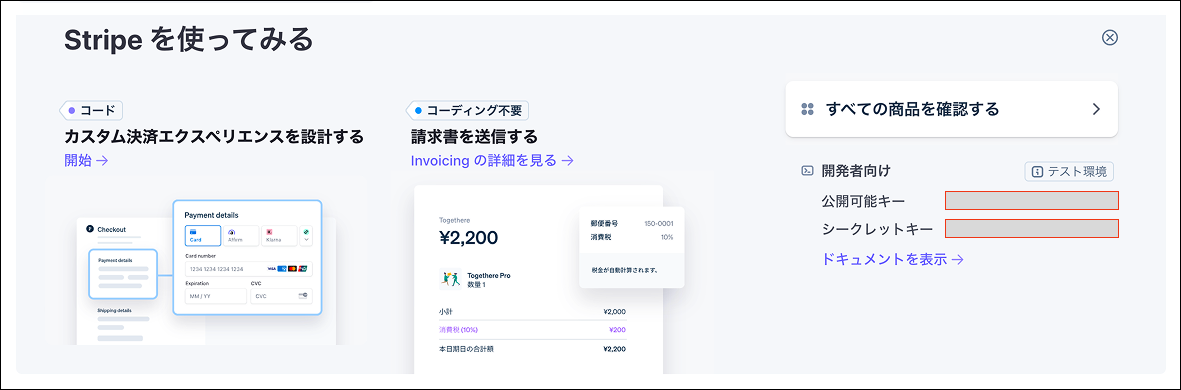
Stripe の公式サイト(dashboard.stripe.com)でアカウントを作成する。ダッシュボードの「Developers」→「API keys」から、テスト用の Publishable Key と Secret Key を取得しておく。
テスト環境ではキーが pk_test_ / sk_test_ で始まる。本番環境に移行するまでは、必ずテストキーを使うこと。
パッケージのインストール
プロジェクトのルートで以下を実行する。
npm install stripeSDK を初期化する際は、バージョンを明示的に固定しておくと、Stripe 側の変更で突然壊れるリスクを回避できる。
import Stripe from 'stripe';

const stripe = new Stripe(process.env.STRIPE_SECRET_KEY!, {
  apiVersion: '2026-02-25.clover',
});
環境変数の設定
.env に以下の3つを追加する。
STRIPE_SECRET_KEY=sk_test_xxxxxxxxxxxxxxxxxxxx
STRIPE_WEBHOOK_SECRET=whsec_xxxxxxxxxxxxxxxxxxxx
STRIPE_WEBHOOK_SECRET はこの時点では空で構わない。後述の Webhook 設定ステップで値が決まる。
DB スキーマの設計
決済情報を管理するために、2つのテーブル変更が必要になる。
まず、既存の User テーブルに Stripe 顧客 ID を保持するカラムを追加する。
ALTER TABLE users ADD COLUMN stripe_customer_id VARCHAR(255) NULL UNIQUE;
mysql> desc user;
+------------------+-----------------+------+-----+----------------------+--------------------------------------------------+
| Field            | Type            | Null | Key | Default              | Extra                                            |
+------------------+-----------------+------+-----+----------------------+--------------------------------------------------+
| id               | bigint unsigned | NO   | PRI | NULL                 | auto_increment                                   |
| name             | varchar(255)    | NO   |     | NULL                 |                                                  |
| email            | varchar(255)    | NO   | UNI | NULL                 |                                                  |
| password         | varchar(255)    | YES  |     | NULL                 |                                                  |
| createdAt        | datetime(6)     | NO   |     | CURRENT_TIMESTAMP(6) | DEFAULT_GENERATED                                |
| updatedAt        | datetime(6)     | NO   |     | CURRENT_TIMESTAMP(6) | DEFAULT_GENERATED on update CURRENT_TIMESTAMP(6) |
| deletedAt        | datetime(6)     | YES  |     | NULL                 |                                                  |
| stripeCustomerId | varchar(255)    | YES  | UNI | NULL                 |                                                  |
+------------------+-----------------+------+-----+----------------------+--------------------------------------------------+
次に、決済履歴を保存する Payment テーブルを新規作成する。
CREATE TABLE payments (
  id BIGINT UNSIGNED PRIMARY KEY AUTO_INCREMENT,
  user_id BIGINT UNSIGNED NOT NULL,
  stripe_session_id VARCHAR(255) UNIQUE NOT NULL,
  stripe_payment_intent_id VARCHAR(255) NULL,
  status VARCHAR(50) NOT NULL DEFAULT 'pending',
  amount INT UNSIGNED NOT NULL,
  currency VARCHAR(10) DEFAULT 'jpy',
  description VARCHAR(255) NULL,
  created_at DATETIME DEFAULT CURRENT_TIMESTAMP,
  updated_at DATETIME DEFAULT CURRENT_TIMESTAMP ON UPDATE CURRENT_TIMESTAMP,
  FOREIGN KEY (user_id) REFERENCES users(id)
);
mysql> desc payment;
+-----------------------+-----------------+------+-----+----------------------+--------------------------------------------------+
| Field                 | Type            | Null | Key | Default              | Extra                                            |
+-----------------------+-----------------+------+-----+----------------------+--------------------------------------------------+
| id                    | bigint unsigned | NO   | PRI | NULL                 | auto_increment                                   |
| userId                | bigint unsigned | NO   | MUL | NULL                 |                                                  |
| stripeSessionId       | varchar(255)    | NO   | UNI | NULL                 |                                                  |
| stripePaymentIntentId | varchar(255)    | YES  |     | NULL                 |                                                  |
| status                | varchar(50)     | NO   |     | NULL                 |                                                  |
| amount                | int unsigned    | NO   |     | NULL                 |                                                  |
| currency              | varchar(10)     | NO   |     | jpy                  |                                                  |
| description           | varchar(255)    | YES  |     | NULL                 |                                                  |
| createdAt             | datetime(6)     | NO   |     | CURRENT_TIMESTAMP(6) | DEFAULT_GENERATED                                |
| updatedAt             | datetime(6)     | NO   |     | CURRENT_TIMESTAMP(6) | DEFAULT_GENERATED on update CURRENT_TIMESTAMP(6) |
+-----------------------+-----------------+------+-----+----------------------+--------------------------------------------------+
status カラムには pending(決済開始)→ completed(成功)/ failed(失敗)/ expired(期限切れ)の4状態を格納する。この状態遷移は Webhook で自動更新される。
Stripe Customer を作成してエンドポイントの作成
まずStripe が管理する「顧客オブジェクト」を作成します、顧客に紐付けて決済履歴・支払い方法・サブスクリプションなどを一元管理できる。
決済 API ルーター(payment.ts)checkout / subscription / portal / history / status
import { Router, Request, Response } from 'express'
import Stripe from 'stripe'
import { AppDataSource } from '../datasource'
import { User } from '../entities/User'
import { Payment } from '../entities/Payment'
import { authMiddleware } from '../middleware/auth'

const router = Router()

const stripe = new Stripe(process.env.STRIPE_SECRET_KEY!, {
  apiVersion: '2026-02-25.clover' as any, // バージョンを固定しないと、SDK アップデート時に挙動が変わるリスクがある
})

async function getOrCreateStripeCustomer(user: User): Promise<string> {
  // すでに Stripe Customer が作成済みであればその ID をそのまま返す(重複作成を防ぐ)
  if (user.stripeCustomerId) {
    return user.stripeCustomerId
  }

  /**
   * Stripe API に新しい Customer オブジェクトを作成するメソッド。
   * 作成に成功すると Customer オブジェクトが返され、customer.id に
   * "cus_xxxxxxxxxx" 形式の一意な顧客 ID が格納される。
   */
  const customer = await stripe.customers.create({
    email: user.email,
    name: user.name,
    metadata: { userId: String(user.id) },
  })

  const userRepo = AppDataSource.getRepository(User)
  user.stripeCustomerId = customer.id
  await userRepo.save(user)

  return customer.id
}

router.post('/checkout', authMiddleware, async (req: Request, res: Response) => {
  try {
    const { priceId, quantity = 1 } = req.body

    if (!priceId) {
      res.status(400).json({ error: 'priceId は必須です' })
      return
    }

    const userRepo = AppDataSource.getRepository(User)
    const user = await userRepo.findOne({ where: { id: req.user!.userId } })

    if (!user) {
      res.status(404).json({ error: 'ユーザーが見つかりません' })
      return
    }

    const customerId = await getOrCreateStripeCustomer(user)

    const session = await stripe.checkout.sessions.create({
      customer: customerId,
      payment_method_types: ['card'],
      line_items: [
        {
          price: priceId,
          quantity,
        },
      ],
      mode: 'payment',
      success_url: `${process.env.FRONTEND_URL}/payment/success?session_id={CHECKOUT_SESSION_ID}`,
      cancel_url: `${process.env.FRONTEND_URL}/payment/cancel`,
      metadata: {
        userId: String(user.id),
      },
    })

    const paymentRepo = AppDataSource.getRepository(Payment)
    const payment = paymentRepo.create({
      userId: user.id,
      stripeSessionId: session.id,
      status: 'pending',
      amount: 0,
      currency: 'jpy',
    })
    await paymentRepo.save(payment)

    res.json({ url: session.url, sessionId: session.id })
  } catch (error) {
    console.error('Checkout error:', error)
    res.status(500).json({ error: '決済セッションの作成に失敗しました' })
  }
})

router.post('/subscription', authMiddleware, async (req: Request, res: Response) => {
  try {
    const { priceId } = req.body

    if (!priceId) {
      res.status(400).json({ error: 'priceId は必須です' })
      return
    }

    const userRepo = AppDataSource.getRepository(User)
    const user = await userRepo.findOne({ where: { id: req.user!.userId } })

    if (!user) {
      res.status(404).json({ error: 'ユーザーが見つかりません' })
      return
    }

    const customerId = await getOrCreateStripeCustomer(user)

    const session = await stripe.checkout.sessions.create({
      customer: customerId,
      payment_method_types: ['card'],
      line_items: [
        {
          price: priceId,
          quantity: 1,
        },
      ],
      mode: 'subscription',
      success_url: `${process.env.FRONTEND_URL}/payment/success?session_id={CHECKOUT_SESSION_ID}`,
      cancel_url: `${process.env.FRONTEND_URL}/payment/cancel`,
      metadata: {
        userId: String(user.id),
      },
    })

    const paymentRepo = AppDataSource.getRepository(Payment)
    const payment = paymentRepo.create({
      userId: user.id,
      stripeSessionId: session.id,
      status: 'pending',
      amount: 0,
      currency: 'jpy',
      description: 'subscription',
    })
    await paymentRepo.save(payment)

    res.json({ url: session.url, sessionId: session.id })
  } catch (error) {
    console.error('Subscription error:', error)
    res.status(500).json({ error: 'サブスクリプションセッションの作成に失敗しました' })
  }
})

router.post('/portal', authMiddleware, async (req: Request, res: Response) => {
  try {
    const userRepo = AppDataSource.getRepository(User)
    const user = await userRepo.findOne({ where: { id: req.user!.userId } })

    if (!user) {
      res.status(404).json({ error: 'ユーザーが見つかりません' })
      return
    }

    if (!user.stripeCustomerId) {
      res.status(400).json({ error: 'Stripe顧客情報が見つかりません' })
      return
    }

    const session = await stripe.billingPortal.sessions.create({
      customer: user.stripeCustomerId,
      return_url: `${process.env.FRONTEND_URL}/payment`,
    })

    res.json({ url: session.url })
  } catch (error) {
    console.error('Portal error:', error)
    res.status(500).json({ error: 'ポータルセッションの作成に失敗しました' })
  }
})

router.get('/history', authMiddleware, async (req: Request, res: Response) => {
  try {
    const page = Math.max(1, parseInt(req.query.page as string) || 1)
    const limit = Math.min(100, Math.max(1, parseInt(req.query.limit as string) || 20))
    const skip = (page - 1) * limit

    const paymentRepo = AppDataSource.getRepository(Payment)
    const [payments, total] = await paymentRepo.findAndCount({
      where: { userId: req.user!.userId },
      order: { createdAt: 'DESC' },
      skip,
      take: limit,
    })

    res.json({
      payments,
      pagination: {
        page,
        limit,
        total,
        totalPages: Math.ceil(total / limit),
      },
    })
  } catch (error) {
    console.error('Payment history error:', error)
    res.status(500).json({ error: '決済履歴の取得に失敗しました' })
  }
})

router.get('/status/:sessionId', authMiddleware, async (req: Request, res: Response) => {
  try {
    const { sessionId } = req.params as { sessionId: string }
    const paymentRepo = AppDataSource.getRepository(Payment)
    const payment = await paymentRepo.findOne({
      where: {
        stripeSessionId: sessionId,
        userId: req.user!.userId,
      },
    })

    if (!payment) {
      res.status(404).json({ error: '決済情報が見つかりません' })
      return
    }

    res.json({ payment })
  } catch (error) {
    console.error('Payment status error:', error)
    res.status(500).json({ error: '決済ステータスの取得に失敗しました' })
  }
})

export default router
Webhookの実装
Webhook は Stripe 決済統合で最も重要なパートだ。
リダイレクトの成功/失敗だけでは決済の完了を保証できない。ユーザーがブラウザを閉じたり、通信が途切れたりしても、Webhook なら Stripe からサーバーへ直接通知が届く。
Webhook エンドポイントには2つの注意点がある。
- 認証ミドルウェアを適用しない(Stripe からのリクエストであり、ユーザーのリクエストではない)
- express.json() の前に raw body を取得する(署名検証に生のリクエストボディが必要)
Webhook ハンドラーが 200 以外を返すと、Stripe は最大72時間、指数バックオフでリトライを繰り返す。ハンドラー内で例外が起きた場合でも、必ず res.json({ received: true }) を返すか、適切にエラーハンドリングすること。
import { Router, Request, Response } from 'express'
import Stripe from 'stripe'
import { AppDataSource } from '../datasource'
import { Payment } from '../entities/Payment'
import { User } from '../entities/User'

const router = Router()

const stripe = new Stripe(process.env.STRIPE_SECRET_KEY!, {
  apiVersion: '2026-02-25.clover' as any,
})

router.post('/stripe', async (req: Request, res: Response) => {
  const sig = req.headers['stripe-signature'] as string

  let event: Stripe.Event

  try {
    event = stripe.webhooks.constructEvent(
      req.body,
      sig,
      process.env.STRIPE_WEBHOOK_SECRET!
    )
  } catch (err) {
    console.error('Webhook signature verification failed:', err)
    res.status(400).json({ error: 'Webhook署名の検証に失敗しました' })
    return
  }

  const paymentRepo = AppDataSource.getRepository(Payment)

  switch (event.type) {
    case 'checkout.session.completed': {
      const session = event.data.object as Stripe.Checkout.Session

      const payment = await paymentRepo.findOne({
        where: { stripeSessionId: session.id },
      })

      if (payment) {
        payment.status = 'completed'
        payment.amount = session.amount_total ?? 0
        payment.currency = session.currency ?? 'jpy'
        payment.stripePaymentIntentId = (session.payment_intent as string) ?? undefined
        await paymentRepo.save(payment)
      }

      console.log(`Payment completed: session=${session.id}`)
      break
    }

    case 'checkout.session.expired': {
      const session = event.data.object as Stripe.Checkout.Session

      const payment = await paymentRepo.findOne({
        where: { stripeSessionId: session.id },
      })

      if (payment) {
        payment.status = 'expired'
        await paymentRepo.save(payment)
      }

      console.log(`Payment expired: session=${session.id}`)
      break
    }

    case 'payment_intent.payment_failed': {
      const paymentIntent = event.data.object as Stripe.PaymentIntent

      const payment = await paymentRepo.findOne({
        where: { stripePaymentIntentId: paymentIntent.id },
      })

      if (payment) {
        payment.status = 'failed'
        await paymentRepo.save(payment)
      }

      console.log(`Payment failed: intent=${paymentIntent.id}`)
      break
    }

    case 'customer.subscription.deleted': {
      const subscription = event.data.object as Stripe.Subscription
      console.log(`Subscription cancelled: ${subscription.id}`)
      break
    }

    case 'invoice.payment_succeeded': {
      const invoice = event.data.object as Stripe.Invoice

      // 初回請求(checkout.session.completed で処理済み)はスキップ
      if (invoice.billing_reason === 'subscription_create') {
        console.log(`Initial invoice skipped: ${invoice.id}`)
        break
      }

      // 2回目以降の定期課金を Payment に記録
      // Stripe API 2026-02-25.clover 以降、invoice.subscription は廃止された。
      // サブスクリプション ID は invoice.parent.subscription_details.subscription に移動している。
      const subscriptionId = invoice.parent?.subscription_details?.subscription
      if (subscriptionId && invoice.customer) {
        const userRepo = AppDataSource.getRepository(User)
        const user = await userRepo.findOne({
          where: { stripeCustomerId: invoice.customer as string },
        })

        if (user) {
          // Stripe API 2026-02-25.clover 以降、invoice.payment_intent は廃止された。
          // PaymentIntent ID は confirmation_secret.client_secret の "_secret_" より前の部分から取得できる。
          // 例: "pi_abc123_secret_xyz" → "pi_abc123"
          const clientSecret = invoice.confirmation_secret?.client_secret
          const paymentIntentId = clientSecret?.split('_secret_')[0]

          const payment = paymentRepo.create({
            userId: user.id,
            stripeSessionId: `inv_${invoice.id}`,
            ...(paymentIntentId ? { stripePaymentIntentId: paymentIntentId } : {}),
            status: 'completed',
            amount: invoice.amount_paid ?? 0,
            currency: invoice.currency ?? 'jpy',
            description: 'subscription_renewal',
          })
          await paymentRepo.save(payment)
        }
      }

      console.log(`Invoice paid: ${invoice.id}`)
      break
    }

    case 'invoice.payment_failed': {
      const invoice = event.data.object as Stripe.Invoice
      console.log(`Invoice payment failed: ${invoice.id}`)
      break
    }

    default:
      console.log(`Unhandled event type: ${event.type}`)
  }

  res.json({ received: true })
})

export default router
Webhook のローカルテスト(Stripe CLI)
ローカル開発環境では、Stripe CLI を使って Webhook を転送する。
# インストール(macOS)
brew install stripe/stripe-cli/stripe

# ログイン
stripe login

# ローカルサーバーに転送
stripe listen --forward-to localhost:8888/api/webhook/stripe
Stripe ダッシュボードで本番 Webhook エンドポイントを登録する
ローカルテストが完了したら、本番用の Webhook エンドポイントを Stripe ダッシュボードに登録する。
Stripe ダッシュボードで「Developers」→「Webhooks」→「Add endpoint」を選択し、以下を設定する。
- エンドポイント URL:
https://your-domain.com/api/webhook/stripe - 監視するイベント:
checkout.session.completed,checkout.session.expired,payment_intent.payment_failed,customer.subscription.deleted,invoice.payment_succeeded,invoice.payment_failed
登録後に表示される署名シークレット(whsec_)を本番環境の環境変数に設定する。
フロントエンド側の実装ポイント
バックエンド API が整ったら、フロントエンドでは以下の画面を用意する。
- 商品・プラン選択画面: ユーザーが商品を選び、
POST /api/payment/checkoutを呼んで Checkout URL を取得。取得した URL にwindow.location.hrefでリダイレクト - 決済成功ページ (
/payment/success): URL のクエリパラメータsession_idを使い、GET /api/payment/status/:sessionIdでステータスを表示。ただし、このページの表示だけで注文確定とせず、あくまで Webhook での確定を正とすること - 決済キャンセルページ (
/payment/cancel): ユーザーへのご案内と、再度決済を試すリンクを表示 - 決済履歴ページ:
GET /api/payment/historyで一覧を取得・表示 - Customer Portal ボタン: マイページ等に配置し、
POST /api/payment/portalで取得した URL に遷移
React Stripe.js
https://www.npmjs.com/package/@stripe/react-stripe-js
npm install @stripe/stripe-js @stripe/react-stripe-js環境変数に Stripe の公開可能キーを設定
Stripe Provider コンポーネントを作成
このコンポーネントは、Stripe.js をロードして子コンポーネントで useStripe() などのフックを使えるようにするラッパー。

テストカードで動作確認
Stripe のテストモードでは、以下のカード番号で各シナリオを確認できる。
| カード番号 | シナリオ |
|---|---|
4242 4242 4242 4242 | 正常な決済成功 |
4000 0000 0000 3220 | 3D セキュア認証が必要 |
4000 0000 0000 0002 | カード拒否 |
4000 0000 0000 9995 | 残高不足 |
有効期限は未来の任意の日付、CVC は任意の3桁、郵便番号は任意の値でよい。
本番移行前のセキュリティチェックリスト
本番移行前に以下を確認しておく。
- API キーを本番用(
sk_live_)に切り替えたか。テストキーのまま本番公開しないこと - Webhook の署名検証が有効か。
constructEventを省略すると、外部から偽の Webhook を送りつけられる - 決済金額のサーバーサイド検証。フロントエンドから送られた金額をそのまま使わず、サーバー側で
priceIdから正しい金額を取得する設計にする - レート制限の導入。決済エンドポイントへの連続リクエストを
express-rate-limit等で制限する - HTTPS の強制。Stripe は Webhook の送信先として HTTP を拒否する。本番では必ず HTTPS を使う
- エラーログの整備。Webhook ハンドラーの失敗は DB の不整合に直結するため、エラー時の通知を仕組み化しておく
決済フロー全体像
最後に、決済処理の全体の流れを整理する。
フロントエンド          バックエンド (Express)          Stripe
    |                        |                          |
    |-- POST /checkout ----->|                          |
    |                        |-- Customer 取得/作成 --->|
    |                        |<-------------------------|
    |                        |-- Session 作成 --------->|
    |                        |<-------------------------|
    |                        |-- Payment を pending で保存
    |<-- { url } ------------|                          |
    |                        |                          |
    |-- url にリダイレクト --------------------------->|
    |                        |                   決済処理|
    |<-- success_url にリダイレクト ------------------|
    |                        |<-- Webhook 通知 ---------|
    |                        |-- Payment を completed に更新
    |                        |-- { received: true } --->|
リダイレクトによる成功通知と Webhook による確定通知は非同期だ。成功ページの表示は「おそらく成功」であり、注文の確定処理は必ず Webhook 側で行うこと。これが Stripe 統合における最も重要な設計原則になる。
まとめ
Express.js への Stripe 導入は、Checkout Session 方式を選べば PCI DSS 対応の大部分を Stripe に委任でき、実装コストを大幅に抑えられる。本記事で解説した15ステップを順に進めれば、単発決済・サブスクリプション・Customer Portal・Webhook の一通りの決済基盤が完成する。
次のステップとしては、返金処理(Refund API)の組み込み、サブスクリプションのステータス管理の拡充、管理者向けの決済ダッシュボード API の追加が考えられる。